Unreal Engine 5 · UMG
TO-DO List App
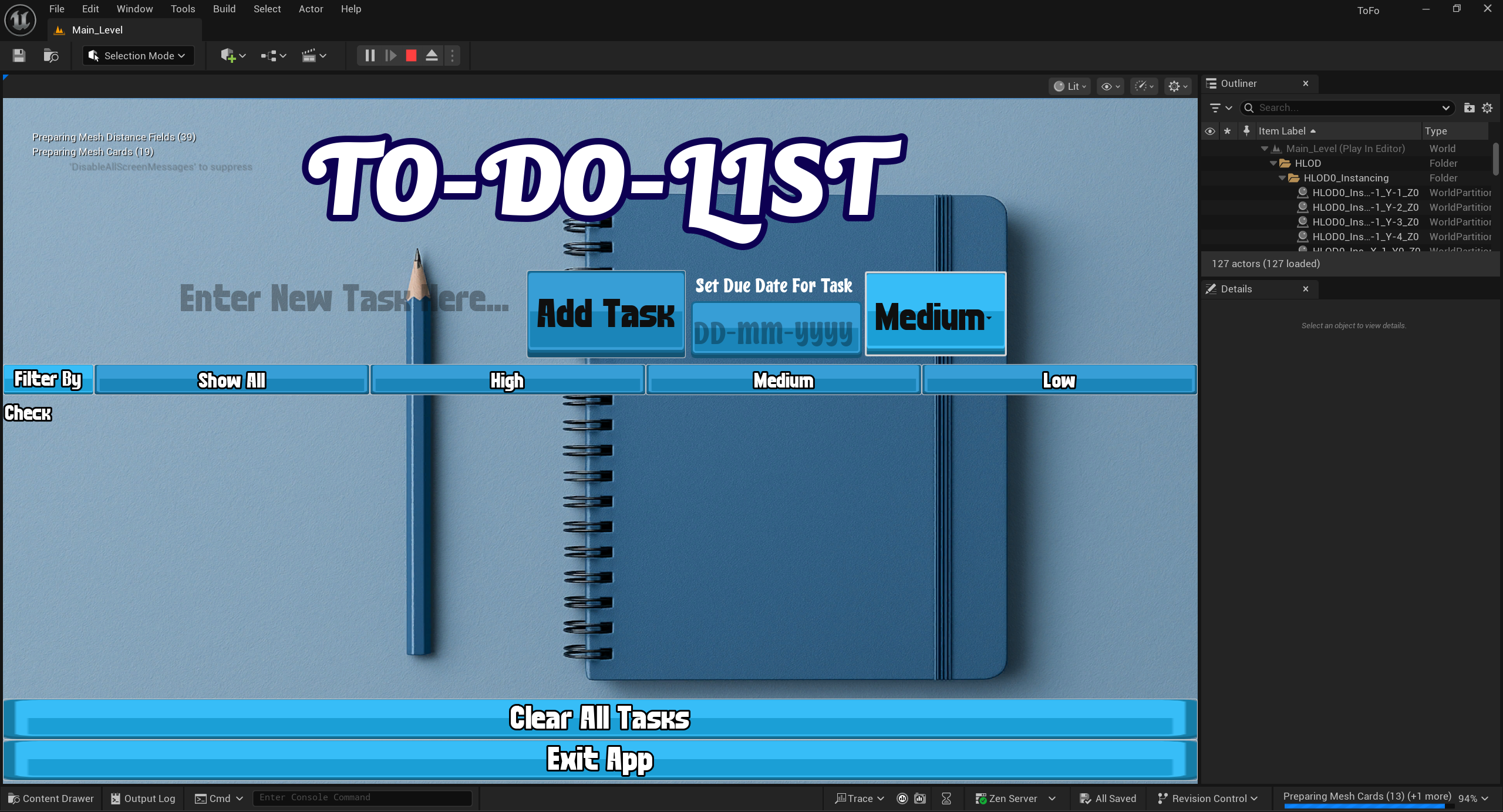
A to-do list application built inside Unreal Engine 5 as a UI-focused app-style experience using UMG and Blueprints — demonstrating productivity tool prototyping in a game engine.
Project Overview
Design Goal
Problem: How to build a simple and useful to-do list app inside Unreal Engine 5, while showing that UE5 can also be used for app-like UI projects and not just games.
Approach: I used UMG to create a clean interface and Blueprints to handle actions like adding, editing, completing, and deleting tasks. The app updates the task list whenever data changes, so the UI always stays clear and responsive. I also used Unreal’s SaveGame system so tasks can be saved and loaded between sessions.
Result: The final app works as a small productivity tool while also showing my understanding of UI layout, event-driven logic, and data handling in Unreal Engine. It turns a game engine workflow into a practical interface project that feels simple, organized, and easy to use.
Tech Stack
Core Engine & UI
- Unreal Engine 5
- UMG (Unreal Motion Graphics)
- Widget Blueprints
- ScrollBox / ListView-style layout
- Input fields & button widgets
Logic & Data
- Blueprint visual scripting
- Event-driven architecture
- Custom structs / data models
- State management
- SaveGame (persistence)
UI/UX & Patterns
- Reusable task-row widgets
- Event bindings (OnClicked, TextCommitted)
- Render-list update pattern
- Visual hierarchy & feedback
Features & Contributions
Task creation flow
Add new tasks through an input-driven UI with clear, responsive controls.

Task list rendering
Display tasks dynamically in a scrollable list/grid that updates with the underlying data.

Completion state
Mark tasks as done/undone with immediate visual feedback.

Editing and deletion
Update task text and remove tasks from the list through the UI.

UI polish
Button states, hover/pressed feedback, consistent spacing and typography, and clear visual hierarchy.

Technical Implementation
UI structure (UMG)
The interface uses a main “app” widget that hosts the input area (task entry) and a list container (e.g. ScrollBox/ListView-style pattern). Reusable task-row widgets encapsulate per-task controls (complete/edit/delete) and visuals.
State and data model (Blueprints)
Tasks are stored in an in-memory collection (e.g. an array of structs or objects) representing each task’s fields (title, completion state, etc.). Event-driven updates: when a task is added/edited/toggled, the UI refreshes by creating or updating the corresponding task-row widget(s). UI events (Button OnClicked, TextCommitted, etc.) are bound to Blueprint functions for consistent, predictable behavior.
UI updating pattern
A “render list” function clears and repopulates the list container when the underlying data changes, keeping the prototype simple and reliable.
Persistence
Using UE5 SaveGame, the app serializes the task array on save and loads it on startup so tasks persist between sessions.